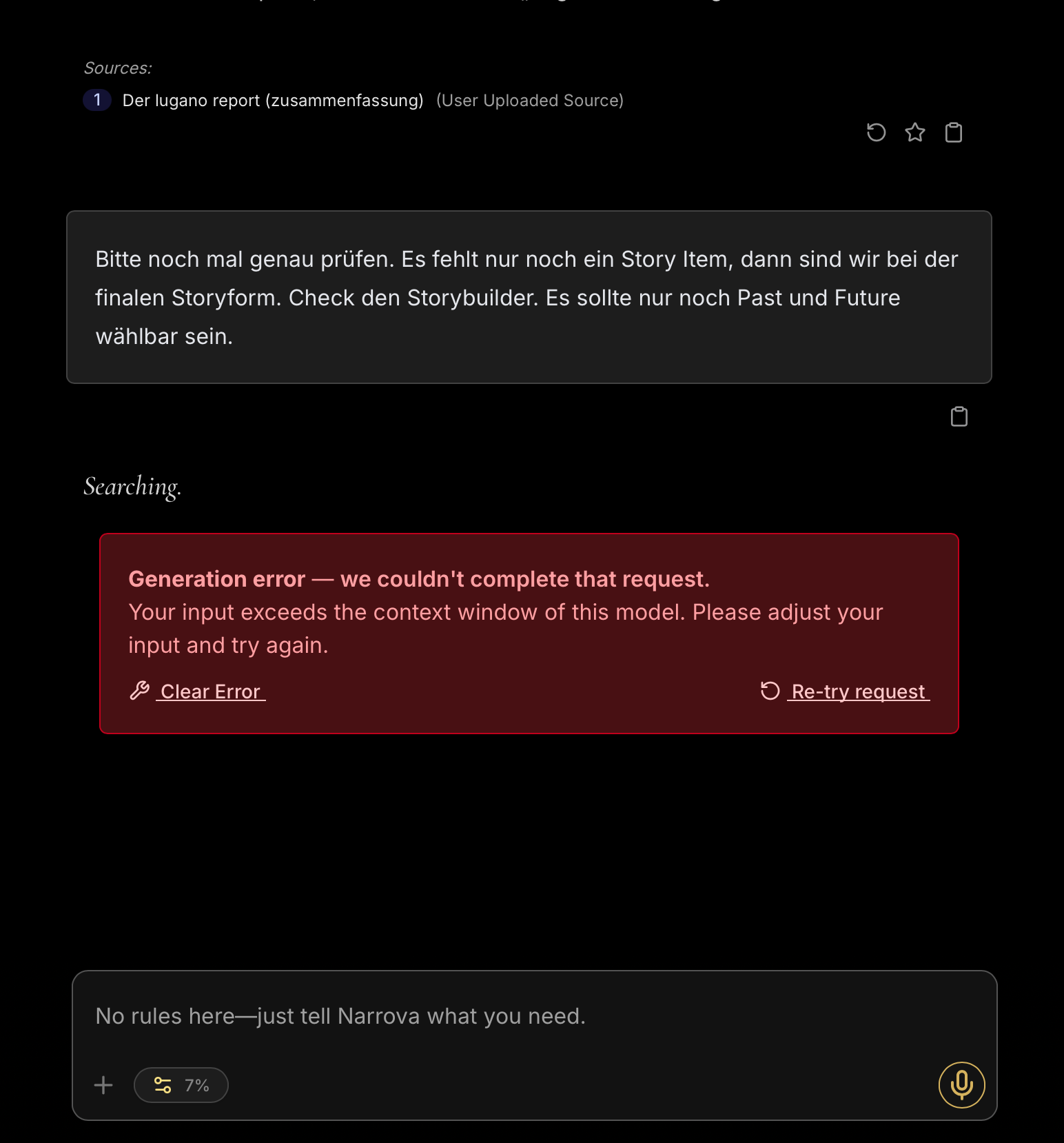
can someone explain what it means when I get this and what I can do about it? At the moment I cannot open any projects in Narrova. Maybe just a technical reboot or update in the background?
Generation Error - we couldn‘t complete that request.
Your input exceeds the context window of this model. Please adjust your input and try again.
What (I think) I did was to put a suggestion of Narrova on a bucket list and go on working on another Story Point.
We would need more context for this - how much are you trying to paste into Narrova to get that? What Agents were you using? How far along in the conversation?
There are a ton of various factors, so in order to help you out we would need to know more.
Sorry for the late reply. I am just a “week-end writer” and had a lot to do at my main job.
What I did last week is deleting all my uploaded context files. But this didn’t solve the Generation Error. Today I tried it again. Perhaps I needed to be logged out before or Narrova needed seem time to delete context files. And voila, my first prompt got through.
At the moment I am just one story item choice away from the final storyform. But Narrova now says there would be more choices left. My last choice were the decision between Past and Future for the MC Benchmark. But Narrova now tells me there would be all sixteen types still available. That definitively couldn’t be true. BTW: we are in Storyforming agent. When I asked for a list of all fixed Story Points I ran into the Generation Error again. It’s a pity.
What also is confusing is that although I deleted all context files (in the prompting window no context is shown anymore). But as you see in my snapshot there is a little line that still shows a user uploaded source (just 13 pages). Maybe it is not out of the system and Narrova still works with it what exceeds it capabilities (although the length of this document ist just
The length of my conversation when measured in the downloaded PDF file is 338 pages.
What I don’t really understand is that it looks as I am one of the very few users that have technical issues. And that ALTHOUGH I am just a week-end writer. If I do anything wrong or should do things differently I would appreciate some kind of read me to tell us what to do to avoid such problems. I cannot imagine how far I would get if I would work on my project more intensively. But I guess my plan to concentrate on the project on my holidays will get me into trouble again. At least I have 7% something (token resources?) left at the moment.
If there are more infos you need to know about the case please let me know!
It’s extremely difficult to diagnose the issues you’re having from a screenshot. The fact that it says 7% down there is a good indicator that you’ve carried on the current conversation for far too long. The latest release has methods for helping with that but for now, I would try your hardest to just simply start a new conversation – 10 times out of 10 that will fix your issues with context.
Barring that, please use the in-app help so we can track down whatever is going on for you.
I’ll do exactly what you suggested: begin a new conversation.
But let me just tell you what happened, weird thing: Narrova (in Storyforming Agent who always checked choices in Storyform Builder) said there would be still MC Benchmark to choose. So we discussed at some lengths what Past vs. Future could mean for the Story. It was the last choice to make before a narrowed down storyform to 1. Then I got the Generation Error. And I was a little upset missing the first goal by a few centimetres.
Then I checked the Storyform Builder by myself, selected every Story Point that we already fixed. And guess what, we reached this one storyform out of 32.000. MC Benchmark was automatically selected and there was no other option than Future.
So I guess I don’t need to struggle with my long conversation anymore and go on with Encoding.
But what I’d like to ask you and the other users:
When you begin a new conversation because you like me finished Storyforming or whatever, how do you tell Narrova what your story is about? There are so many details and thrilling ideas in the long conversation that I wouldn’t like to omit them all. I don’t even remember everything. But AI could I guess. It’s quite complex stuff in this story and I hope it’s not getting lost.
It might be a bad idea to give Narrova the complete conversation as a markdown file, right? Then I would run into trouble another time I guess.
Well, I already started a new conversation with the final storyform. I pasted the choices in. But it might also been possible to start the conversation from the Storyform Builder. Is that right?
How do you do that when for whatever reason start a new conversation?
Again, it’s much easier to diagnose these kinds of issues using the in-app help, but looking into your account there are two things happening:
You’ve hit your limit for capacity this billing period.
You continue to try and send requests to a conversation that is already at its limit.
You can give Narrova the complete conversation – that’s what the “Upload into Context” feature is for. You can read more about it here in the docs: Context | Dramatica
Yes, you can start a conversation from within the Storyform Builder, some find it easier in there as they can see visually the results of their choices.
Moving forward, let’s go ahead and move this conversation to the in-app help. You can find it in the platform here: https://platform.dramatica.com. There’s a Help button in the upper right you can click for further assistance.