TL;DR: We’ve made the difference between Story Context and Storyform Context explicit, added a Storyforms context index, and gave you straightforward controls to move, detach, or delete Storyforms—without touching your conversations.
What changed (and why)
Narrative Context powers how Narrova grounds a conversation: either in a Story (broad creative container) or in a Storyform (a specific, structured model of that story). Users told us these two got conflated. This update:
- Makes the distinction crystal clear.
- Lets you jump directly to either list (Stories or Storyforms).
- Gives you simple actions to manage associations.
1) New “Stories” navigation → Choose your context list

- Click Stories in the top nav to open the menu.
- Choose Story Context to see your Stories.
- Choose Storyform Context to see every Storyform you’ve created, no matter which Story it’s tied to.
2) New Storyforms context index

From Storyform Context, you’ll see an index of all your Storyforms. Use it to:
- Jump straight into any Storyform.
- Create a new one with Create New Storyform in Storyform Builder.
3) Manage Storyforms from a Story
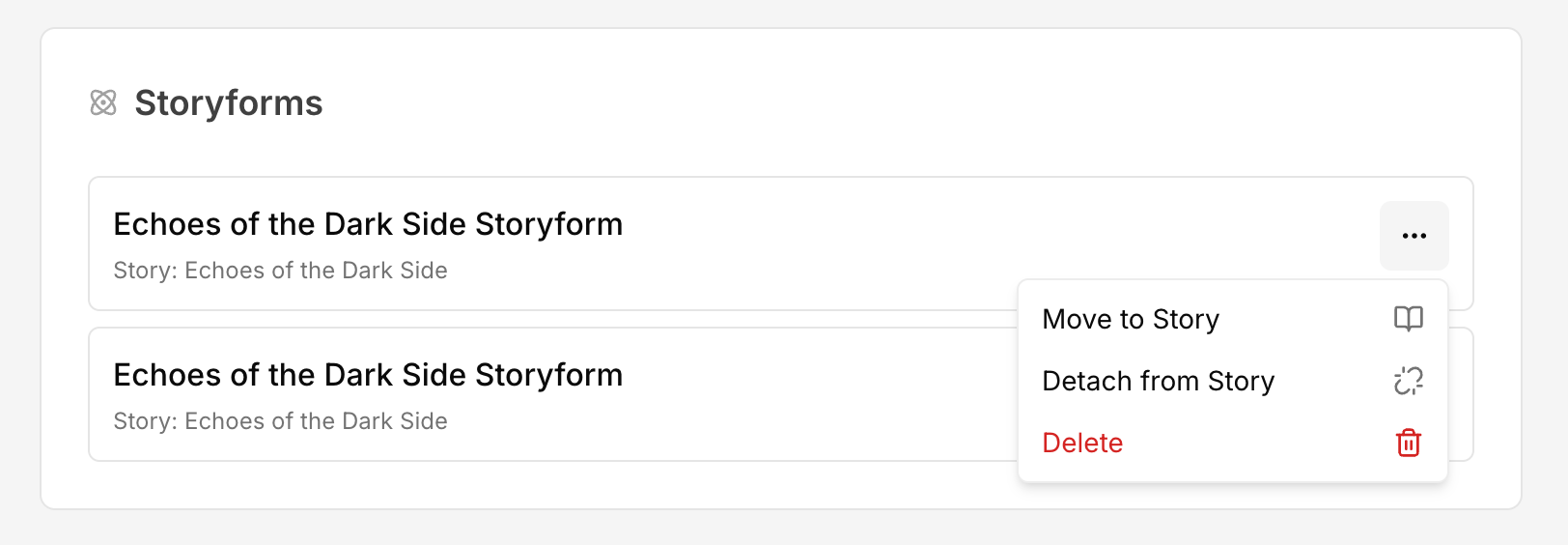
On a Story’s page, each attached Storyform has an overflow menu with actions:
- Move to Story — allows you to move a Storyform from one Story to another. When you move a Storyform, that Storyform and all of its conversations become associated with the destination Story.
- Detach from Story — removes the association with the current Story, but keeps the Storyform available in the Storyforms index.
- Delete — permanently deletes the Storyform (see confirmation details below).
Note: Detaching does not delete anything; it only breaks the link between this Story and the Storyform.
4) Clear, explicit delete confirmation

When you choose Delete, you’ll see a confirmation dialog that requires typing the Storyform’s title. Deleting a Storyform:
- Removes all documents you uploaded to that Storyform and cannot be undone.
- Does not delete any conversations; those conversations simply lose this Storyform as context.
Important: Deleting a Story or a Storyform Context does not delete the conversations that used that context. If you no longer want those conversations, manually delete them from your conversation list.
Quick reference
- Story Context = the creative container (your project).
- Storyform Context = the structural model of that story.
- Detach from Story = unlink Storyform ↔ Story (Storyform remains in index).
- Move to Story = re-home the Storyform (and its conversations) under a different Story.
- Delete Storyform = permanently remove the Storyform and its uploaded documents (conversations remain, but without that context).
Why this helps
These changes give you finer control over Narrative Context, so you can:
- Keep Stories clean while iterating on multiple Storyforms.
- Reorganize Storyforms as projects evolve.
- Confidently remove contexts without losing conversation history.
We hope this makes navigating and manipulating contexts in Narrova noticeably simpler. As always, feedback is welcome—tell us what else would make your workflow smoother!