We’ve just rolled out a new way to see and shape how Narrova works with you in the Dramatica Platform—introducing Narrative Focus and expanded Agent controls.
What is Narrative Focus?
You’ll now see a Narrative Focus percentage in your Narrova conversations.
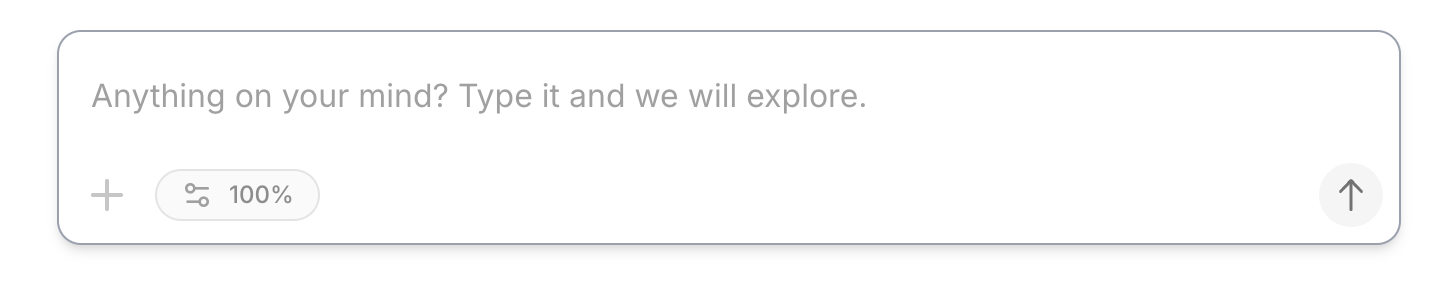
Think of it as a quick snapshot of how efficiently Narrova can answer your questions given the current conversation context:
- As your thread gets longer and your tasks become more complex, that percentage will gradually drop.
- When it reaches 0%, you can still continue the conversation—nothing breaks, and Narrova will still respond.
- However, starting a new conversation at that point will usually give you a much cleaner, sharper, and more responsive experience.
In other words: Narrative Focus makes the invisible context window visible. It’s a gentle indicator of when it might be time to “reset” the dialogue while keeping your story’s actual structure intact.
Remember: The Storyform Is Your Anchor
A core value of Dramatica—and one of the reasons Narrova works as well as it does—is that the Storyform maintains context across conversations.
Even if Narrova doesn’t “remember” everything you said in other threads:
- The Storyform still holds your narrative spine: Domains, Concerns, Issues, Problems, Drivers, Outcomes, Judgments, etc.
- You can always spin up a fresh Narrova conversation and it will still be grounded in the same Storyform.
If you want Narrova to remember specific prior exchanges, you stay in control of that:
- Use Upload into Context to add the current conversation (or any text you want) into Narrova’s working memory for future sessions.
- This keeps you in charge of what is remembered and what is not—no surprise long-term memory, no hidden baggage from old threads.
Narrative Focus Button = Thinking + Length Control
You’ll notice that the old “Thinking” button is gone.
It’s been replaced by the Narrative Focus button, which now:
- Handles everything the previous Thinking control did (how much “effort” Narrova spends on a response).
- Adds a new Adjust Response Length option.

Previously, if you wanted to change how long the answer was, you’d rely on “Try another pass” with “More concise” or “More detailed” after Narrova replied.
Now you can:
- Set the response length directly before a response comes through.
- Decide whether you want short, punchy replies or longer, more in-depth explorations—right upfront.
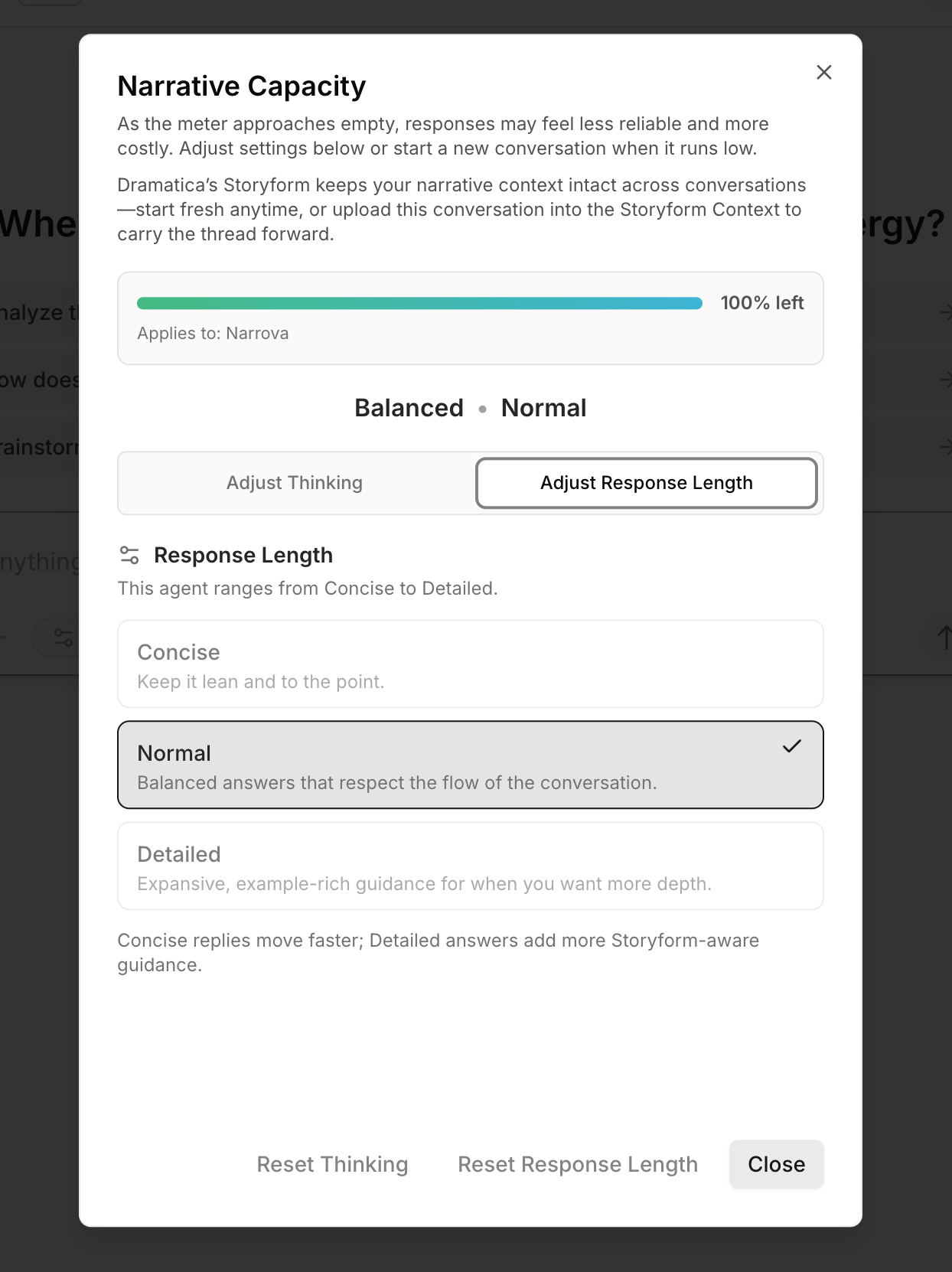
Narrova still provides recommended Thinking defaults, but:
- Thinking: Narrova proposes sensible settings.
- Length: This is entirely up to you.
This gives you:
- Tighter control if you’re trying to stay within usage limits for a given period.
- More freedom to really dig deep if you’re on a higher range and want exhaustive detail.
New: Narrova Agent Defaults in Preferences
We’ve also added a brand-new set of Narrova Agent settings under Preferences.
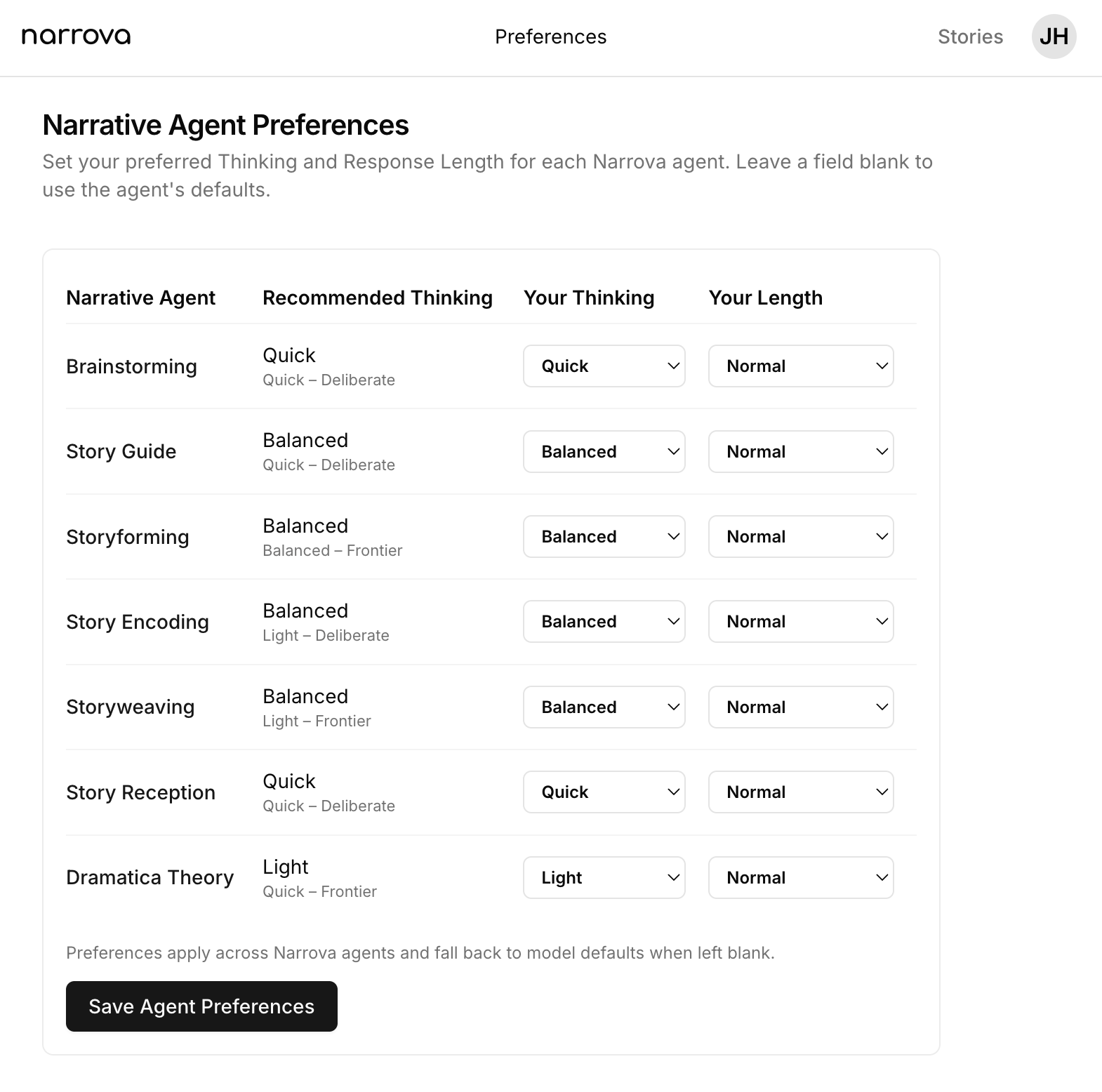
There, you can:
- Set your default Thinking and Length settings for Narrova Agents.
- Tune them to match your working style—quick beats vs. detailed exploration, light thinking vs. heavy analysis, etc.
Once set, Narrova will use your Agent defaults instead of its own when you start your next story. That means every new conversation starts closer to the way you prefer to work, without adjusting sliders every time.
In Summary
- Narrative Focus shows how efficiently Narrova can respond as a conversation grows.
- At 0%, you can keep going, but starting a new thread will feel much better.
- Your Storyform still maintains core narrative context across all conversations.
- You can Upload into Context to selectively preserve specific threads for future use.
- The new Narrative Focus button replaces the old Thinking button and adds direct Response Length control.
- You can now configure Narrova Agent defaults in Preferences so the system works the way you like from the start.
Hope you enjoy the greater control over your experience—and as always, enjoy exploring your stories with Narrova and Dramatica.